Turtle Beach Vulcan II XP Keyboard Impresses on Features but Stumbles on Build Quality
A review of Turtle Beach's new full-size gaming keyboard finds strong customization and a pleasant typing feel, undercut by a cheap-feeling base and several hardware flaws.
By News Media House Staff ·
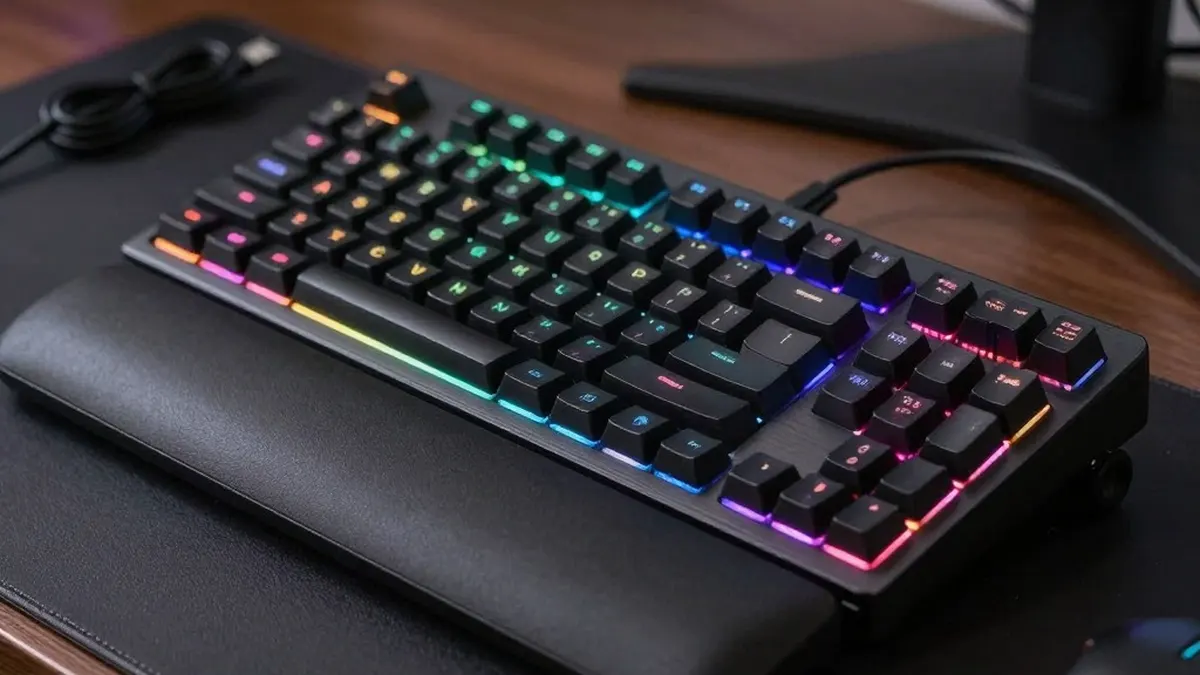
Turtle Beach has built a reputation for competitive-grade gaming keyboards, and its Vulcan II XP is the newest addition to the company's mid- to high-tier Vulcan range. A review published on 2026-10-23 by Wired contributor Matt Kamen concludes that the board offers plenty of appeal but ends up feeling middle-of-the-pack.
The full-size keyboard, which includes a NumPad, uses Titan HS mechanical switches and offers extensive customization through Turtle Beach's software. It measures 462 x 153 x 32 millimeters and has a low-profile, floating-key design on a brushed-aluminum top plate. The underside is a different story: the reviewer found the basic plastic basin cheap-feeling, though the legs are sturdy and raise the board by about 10 mm.
A soft foam wrist rest snaps onto the front underside and gives comfortable support, although it is not memory foam, so the reviewer worries it may flatten over time. Media controls sit at the top right, with back, play/pause and forward buttons plus a wheel that mutes when pressed.
The Vulcan II XP costs $150 and is wired only, connecting through a detachable 1.8-meter USB-C to USB-A cable. A wireless version, the Vulcan II XP Air, is on the way for an extra $50. The wired connection means no input latency, which suits competitive players. Setup on a Windows PC is simply a matter of plugging in, but the Swarm II app is needed to tame the default rainbow lighting and unlock the rest of the features.
In Swarm II, users get 10 built-in light effects and an 11th custom slot where every LED can be adjusted. The app also allows remapping of individual keys, with five onboard profiles. Its macro manager can build custom inputs and command combos, down to the millisecond timing of a keypress. It ships with presets for dozens of games, including Counter-Strike, Overwatch and Skyrim, as well as office apps and Photoshop. Advanced options include Easy-Shift for duplicating keys and ReacTap for assigning two commands to one key, though the latter could run afoul of automation rules in some competitive scenes.
Typing is largely a pleasure. The reviewer tested the linear-switch model, and found the spacing precise and the bottom-out sound satisfying. Because the factory-lubed keys are so smooth and quiet until they hit the base, it is easy to accidentally hold a key down, which caught the reviewer out in games at first. The keys are hot-swappable and support three-pin or five-pin switches, and the flat keycaps pop off easily for cleaning. However, they are not Hall effect, unlike the earlier Vulcan II TKL Pro. Turtle Beach rates the switches at 50 million keystrokes, a third of the TKL Pro's 150 million. The 1,000-Hz polling rate gives a 1-millisecond response, short of the 8,000-Hz boards at the high end.
Build quality was the main concern. On the review unit, the media wheel was inverted, so turning it toward the minus symbol raised the volume, even after a firmware update. The reviewer had to remap it. The LEDs under the "0" and "." keys also stayed a harsh white regardless of settings. Reverting a single input in Swarm II sometimes reset the entire profile as well.
The verdict is that the Vulcan II XP dazzles at a glance but reveals flaws on closer inspection. For newcomers moving to a mechanical keyboard, it is a decent entry point at a reasonable price with enough pro-level features to feel like a real upgrade. More demanding or professional players, the review suggests, should aim higher.
Source: Wired